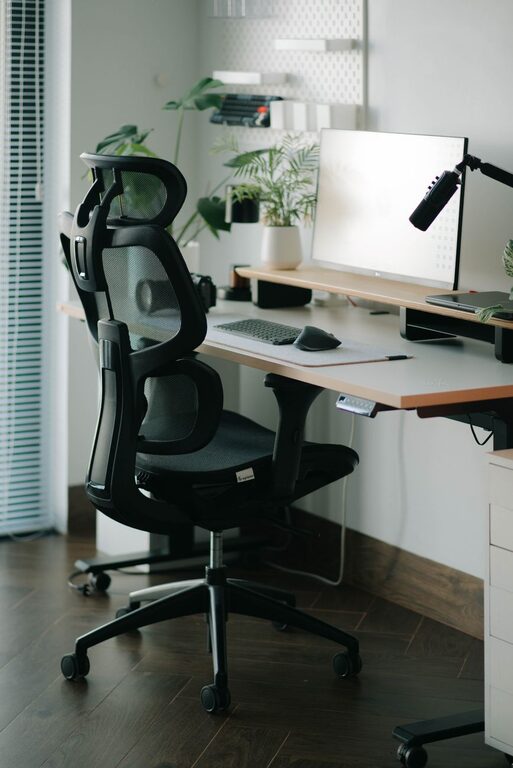
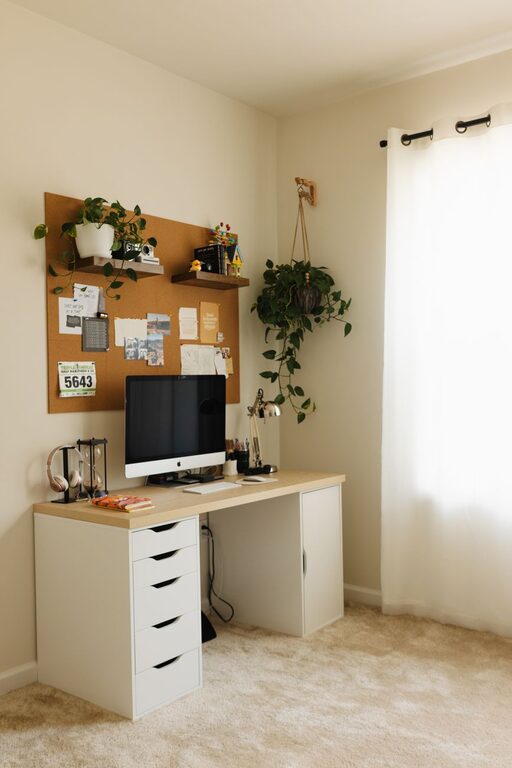
Creating a home office that balances coziness and productivity can make a big difference in your daily work experience. Whether you’re working remotely full-time or need a dedicated spot for occasional tasks, a thoughtfully designed workspace helps you stay focused and comfortable. This guide offers practical tips to help you set up a home office that feels inviting and supports your best work.
1. Choose the Right Location
Finding the perfect spot for your home office is the first key step. Ideally, pick a quiet corner or room where you can minimize distractions. Here are some tips to consider:
– Natural Light: A space near a window offers natural light, which can boost mood and energy.
– Away from Noise: Avoid busy areas like the kitchen or living room if possible.
– Space to Move: Ensure you have enough room for your desk, chair, and storage needs.
If space is limited, consider creative options like using a folding screen to separate the work area or setting up a small desk in a nook.
2. Invest in Comfortable Furniture
Comfort plays a big role in productivity. Spending long hours at a poorly designed desk can lead to discomfort and fatigue.
– Ergonomic Chair: Choose a chair that supports good posture with adjustable height and lumbar support.
– Appropriate Desk Height: Your desk should allow your wrists to rest comfortably while typing.
– Desk Size: Pick a desk large enough for your computer, essential supplies, and some personal touches without feeling cluttered.
Adjust your setup so your monitor is at eye level and your feet rest flat on the floor or a footrest.
3. Create a Clutter-Free Workspace
An organized desk can help reduce stress and improve focus. Use these ideas to keep your area neat:
– Storage Solutions: Use drawers, shelves, and organizers for pens, papers, and other supplies.
– Minimal Items: Keep only what you need on your desk. Store frequently used items within arm’s reach.
– Daily Clean-Up: Spend a few minutes at the end of each day tidying your space to start fresh tomorrow.
Consider labels or color-coded containers to make finding things easier.
4. Personalize with Cozy Elements
Adding a personal touch makes your home office a welcoming place where you want to spend time.
– Soft Textiles: A cozy throw blanket, comfortable seat cushion, or a rug can add warmth.
– Plants: Indoor plants improve air quality and add a splash of color.
– Artwork and Photos: Surround yourself with inspiring images or artwork that bring positive energy.
Keep these elements balanced so the space remains professional and distraction-free.
5. Manage Lighting Efficiently
Proper lighting reduces eye strain and keeps you alert throughout the workday.
– Layered Lighting: Combine natural light, overhead lights, and task lamps.
– Adjustable Desk Lamp: A lamp with adjustable brightness helps focus on close-up tasks.
– Anti-Glare: Position screens to avoid glare from windows or lights.
Use soft white bulbs to create a warm, inviting ambiance without harsh shadows.
6. Minimize Noise Distractions
Noise can be a major disruption when working from home.
– Noise-Cancelling Headphones: Great for blocking out household sounds.
– Soundproofing: Add rugs or curtains to absorb noise and reduce echo.
– White Noise Machines: These can help mask distracting sounds.
If possible, pick a room with a door to close off noise during important calls or tasks.
7. Set Boundaries Between Work and Home Life
Maintaining clear boundaries helps you stay productive and avoid burnout.
– Consistent Schedule: Use set working hours to stay on track.
– Designated Workspace: Keep work materials and equipment separate from relaxation areas.
– Break Areas: Have a place to step away from your desk for short breaks to recharge.
Communicate your work schedule to others in your household to minimize interruptions.
8. Incorporate Technology Wisely
Technology is essential but can also clutter your space if not managed well.
– Cable Management: Use clips, ties, or channels to keep cords organized and out of sight.
– Monitor Stands: Elevate screens to save desk space and improve posture.
– Efficient Devices: Choose printers, scanners, and other gadgets that fit your workspace size and needs.
Keep your digital files organized as well, backing up work regularly.
Final Thoughts
Designing a home office that is both cozy and productive doesn’t require a complete renovation. With careful planning and simple adjustments, you can create a space that supports your mental focus while offering comfort and style. Remember to keep your unique work style in mind, personalize your area, and regularly update your setup to match your needs. A home office tailored to you will turn daily work into a more enjoyable and effective experience.
About the Author