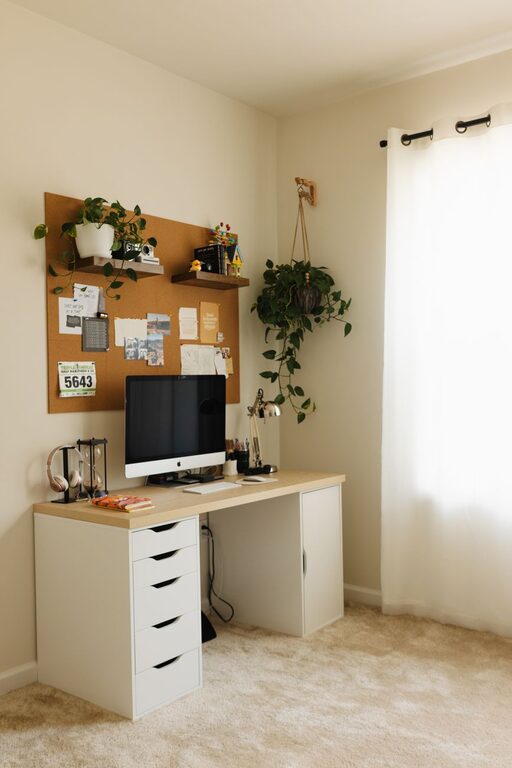
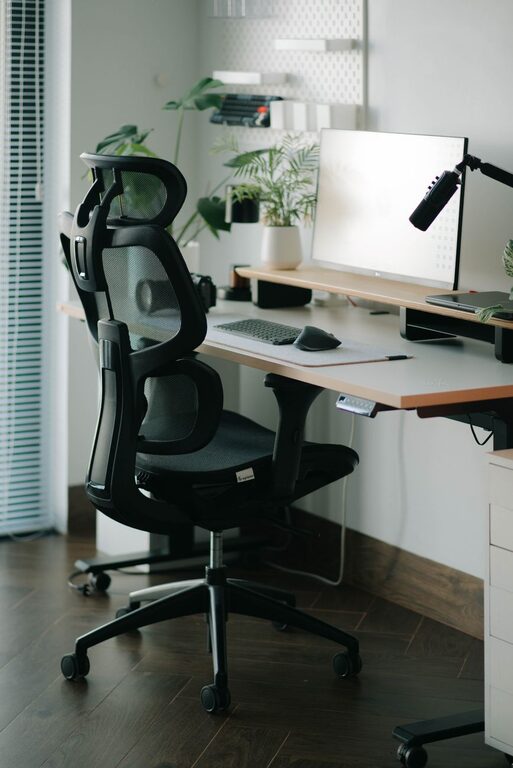
Creating a comfortable and productive home workspace is essential for anyone working remotely or spending significant time on projects at home. With the right setup, you can increase focus, reduce stress, and maintain better work-life balance. This guide offers practical tips to help you build an environment where you can do your best work comfortably.
Assess Your Space and Needs
Before setting up your workspace, take a moment to evaluate the area you want to use. Consider the following:
– Location: Choose a quiet corner or room with minimal distractions.
– Natural Light: A spot near a window helps reduce eye strain and lifts your mood.
– Space Size: Make sure there’s enough room for your desk, chair, and any equipment you’ll need.
Understanding your work habits also matters. Do you mostly type at a computer, hold phone calls, or need space for sketching and brainstorming? This information will guide your furniture and accessory choices.
Invest in Ergonomic Furniture
Ergonomics is key for comfort and to prevent long-term health issues.
– Chair: Select one that supports your lower back. Adjustable height and armrests help customize the fit.
– Desk: Your desk should allow your elbows to stay at about a 90-degree angle while typing.
– Monitor Placement: Position your screen at eye level, about an arm’s length away to reduce neck and eye strain.
Adding a footrest or standing desk converter can offer variety in posture and increase comfort during long work sessions.
Optimize Lighting
Good lighting improves focus and reduces headaches and fatigue.
– Natural Light: Maximize daylight by positioning your desk near a window without glare on your screen.
– Task Lighting: Use adjustable desk lamps for focused illumination, especially during evening hours.
– Avoid Harsh Lights: Choose bulbs with warm or neutral white tones rather than bright, cool white light.
Proper lighting creates a pleasant environment that supports productivity.
Organize Your Workspace
A clutter-free desk promotes a clear mind.
– Storage Solutions: Use drawers, shelves, or organizers to keep supplies neat and accessible.
– Minimalism: Only keep essentials on your desk to avoid distractions.
– Cable Management: Use clips or hidden conduits to keep cables tidy and out of the way.
Regularly tidying your workspace helps maintain focus and reduces stress caused by clutter.
Incorporate Personal Touches
Adding elements that reflect your personality can make your workspace more inviting.
– Plants: Small indoor plants improve air quality and add a calming presence.
– Artwork or Photos: Inspirational images can boost creativity and motivation.
– Comfort Items: A cozy throw, cushion, or favorite mug can make breaks more enjoyable.
Balance personal touches with professionalism if you participate in video meetings.
Establish a Routine and Boundaries
Your workspace design should support healthy work habits.
– Set Working Hours: Define when work starts and ends to maintain balance.
– Take Breaks: Use timers or apps to remind you to stand, stretch, or rest your eyes.
– Separate Work from Relaxation: Try to keep work in one area, helping you mentally switch between roles.
Clear boundaries between work and home life help reduce burnout and improve focus during work hours.
Use Technology Wisely
Technology can either enhance or disrupt productivity.
– Quality Equipment: Invest in a reliable computer, headphones, and internet connection.
– Software: Use productivity tools such as calendars, task managers, and focus apps.
– Minimize Notifications: Disable non-essential alerts during work to avoid distractions.
Regularly updating your tech ensures smooth workflow and less frustration.
Maintain Cleanliness and Air Quality
A clean and fresh environment supports concentration and wellbeing.
– Regular Cleaning: Dust and wipe down your workspace weekly.
– Ventilation: Open windows periodically or use an air purifier to keep air fresh.
– Comfort Controls: Adjust temperature and humidity to your preference.
These small adjustments can improve comfort and reduce sick days.
—
Creating a comfortable and productive home workspace takes some planning but is well worth the effort. Focus on ergonomics, lighting, organization, and a layout that fits your personal style and work habits. By setting clear routines and maintaining a clean, inviting environment, you’ll create a space where you can thrive and enjoy working from home.
About the Author